How can I use my phone in extreme environments without it breaking down? This question matters for construction crews, field researchers, rescue teams, and travelers. China’s top rugged phones are built for dust, rain, drops, vibration, and sudden temperature changes. However, rugged does not mean indestructible. It means better prepared.
Dr. Elena Marquez, a field-reliability engineer specializing in mobile electronics, explains, “A rugged phone survives through disciplined use, not confidence in its label.” Her advice highlights a practical truth. Check the phone’s IP68 or IP69K rating before entering wet or dusty areas. Review its MIL-STD-810H testing claims, too. These ratings describe tested conditions, not unlimited protection.
Keep ports firmly sealed. Remove grit before charging. Use a dry cloth after rain or snow. Avoid charging a frozen phone immediately. Let it warm gradually. Heat can damage batteries, even when the screen still works. Cold can reduce battery performance sharply. A protective case and wrist strap add useful insurance.
China top rugged phones often include large batteries, reinforced frames, glove-friendly screens, and programmable buttons. Those features help in mines, deserts, workshops, and remote roads. Still, users sometimes trust marketing more than maintenance. I have made that mistake myself. A sealed phone can fail after repeated abuse, especially around damaged covers or loose connectors.
Use offline maps, spare charging cables, and a compact power bank. Test every accessory before deployment. Inspect the device at the end of each day. Small cracks deserve attention. Reliable field performance comes from preparation, careful handling, and honest limits.
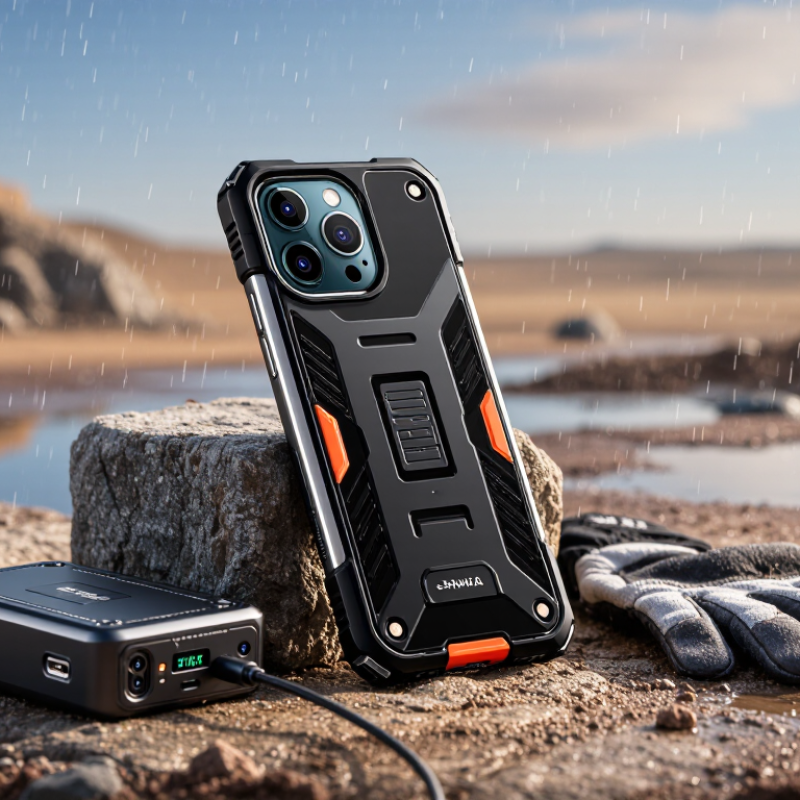
China’s top rugged phones are designed for places where ordinary smartphones often fail. Their sealed housings help resist dust, rain, mud, and accidental water exposure. Many models use IP68 or IP69K protection ratings, but these ratings depend on controlled testing. Real conditions can be harsher.
In field work, reinforced corners reduce damage when a phone slips from a truck or scaffold. Thickened glass protects the display from scratches and sudden impacts. Physical buttons remain useful when gloves cover wet fingers. Some devices also support wet-touch operation, which helps during heavy rain. Large batteries can support long shifts without frequent charging. That matters near remote construction sites. However, high-capacity batteries usually make phones heavier. It is a trade-off, not a miracle.
Extreme temperatures create another challenge. A reliable rugged phone should manage heat, cold, and charging safely. Certification based on MIL-STD-810 testing can provide useful evidence, but it does not guarantee survival in every situation. Test methods vary, and marketing language can sound stronger than the data. Check temperature ranges, drop height, water depth, and service conditions before purchase. Cameras, speakers, and charging ports still need care after exposure. No rugged phone is indestructible. Regular cleaning and a dry charging port remain essential. In practice, durability comes from both hardware and disciplined use.
| Extreme Environment | Main Environmental Risk | Recommended Rugged-Phone Capability | Relevant Rating or Standard | Practical Use Method | Why It Helps |
|---|---|---|---|---|---|
| Heavy Rain and Flood-Prone Areas | Water entering ports, cameras, speakers, or the battery compartment. | Sealed enclosure, port covers, water-resistant speakers, and a sealed SIM or memory-card tray. | IP67 or IP68; IP ratings are defined by IEC 60529. | Close all covers before exposure, rinse salt or dirty water with clean water, and dry the phone before charging. | The enclosure reduces water ingress and helps maintain communication during wet outdoor work. |
| Dusty Construction and Mining Sites | Fine dust may block ports, damage moving parts, or reduce speaker performance. | Dust-tight housing, protected connectors, sealed buttons, and a raised screen bezel. | IP6X indicates protection against dust ingress. | Keep unused ports covered and clean the exterior with a soft brush or compressed air suitable for electronics. | Dust protection extends the service life of charging, audio, and camera components. |
| High-Impact Field Work | Drops, vibration, pressure on the display, and impact against metal or concrete. | Shock-absorbing corner protection, reinforced frame, strengthened glass, and a non-slip rear surface. | Look for independently documented drop testing and MIL-STD-810H methods where applicable. | Use a wrist strap or belt clip, and inspect the frame after a major impact even if the phone still works. | Physical reinforcement lowers the risk of cracked screens and internal component failure. |
| Hot Desert and Tropical Conditions | Heat can reduce battery life, slow performance, and accelerate battery aging. | A published operating-temperature range, thermal protection, and a battery-management system. | Many rugged devices specify approximately −20°C to 55°C operating limits; verify the model specification. | Keep the phone shaded, avoid charging inside a hot vehicle, and stop using it if a temperature warning appears. | Thermal controls help prevent overheating and preserve battery safety and performance. |
| Cold, Snow, and Mountain Areas | Low temperatures reduce short-term battery capacity and may make touchscreens less responsive. | Low-temperature operating support, a high-capacity battery, glove-compatible touch input, and physical shortcut buttons. | Check the manufacturer’s stated low-temperature operating and storage limits. | Keep the phone close to the body, use a protective case, and allow condensation to evaporate before charging. | Reduced dependence on bare-finger touch input improves usability in cold-weather gear. |
| Marine and Coastal Operations | Saltwater corrosion, spray, humidity, and slippery handling conditions. | Corrosion-resistant materials, sealed ports, textured sides, and a bright display. | IP water-resistance testing does not automatically guarantee protection from long-term saltwater exposure. | Rinse salt residue with fresh water, dry thoroughly, and use a tether near open water. | Improved grip and regular salt removal reduce accidental drops and corrosion-related damage. |
| Emergency and Remote Travel | Limited network coverage, long periods without charging, and difficult navigation. | Large battery, efficient power management, multi-constellation GNSS, offline maps, and an emergency shortcut. | GNSS performance depends on satellite visibility, device design, and local conditions; offline features must be configured in advance. | Download maps, carry a power bank, test emergency functions, and share a planned route before departure. | Longer operating time and offline navigation improve independence when connectivity is unreliable. |
| Night Work and Low Visibility | Poor visibility, reduced situational awareness, and difficulty operating the device safely. | High-brightness display, programmable shortcut key, loudspeaker, flashlight, and optional thermal or infrared camera. | Display brightness and camera capabilities vary by model and should be verified before purchase. | Set the shortcut key for the flashlight, camera, or emergency contact and test it while wearing gloves. | Fast access to essential functions reduces handling time and improves operational awareness. |
| Industrial and High-Noise Locations | Missed calls, vibration, accidental button presses, and communication difficulties. | Loud ringer, strong vibration motor, noise-reduction microphones, push-to-talk support, and programmable controls. | Audio performance depends on the application, network, protective accessories, and surrounding noise level. | Use a certified headset or push-to-talk accessory when required by workplace safety procedures. | Physical controls and stronger alerts allow operation without repeatedly removing gloves or ear protection. |
Note: IP ratings describe protection against dust and water under controlled test conditions. Drop resistance, operating temperature, battery endurance, and specialized camera performance vary by model and should be confirmed in the product’s technical documentation.
Check the screen, seals, charging port, buttons, camera cover, and battery condition. A small crack matters. Clean connectors with a dry, soft brush. Let wet ports dry completely before charging.
Install offline maps, weather data, translation tools, and required work applications. Test each app in airplane mode. Keep emergency contacts and essential instructions available offline.
Charge the phone fully and carry a protected power bank. Reduce brightness while keeping outdoor text readable. Record battery use during realistic field conditions.
Use a secure lanyard, glove-friendly screen protector, and a case that leaves microphones clear. Test calls with gloves, wet fingers, and cold hands. Small details can change usability.
Close every port cover firmly before entering dusty areas. Wipe rainwater with a soft cloth and brush sand away gently. Never connect a cable while moisture remains.
Keep it inside an inner jacket pocket during freezing conditions. Avoid vehicle dashboards in direct sunlight. If the phone feels unusually hot, stop demanding tasks and let it cool naturally.
Indoor testing may hide problems caused by reflected sunlight, gloves, or condensation. I once trusted indoor navigation too quickly. Test the phone outdoors, at work temperature, and under realistic lighting.
Remove mud with fresh water and dry ports using gentle airflow. Avoid compressed air. Inspect seals, buttons, camera glass, and charging covers under bright light. A loose cover needs attention.
Test charging, microphones, GPS accuracy, battery condition, and unexpected shutdowns after harsh exposure. Replace cracked screens, swollen batteries, damaged seals, or unreliable charging parts. Appearance alone can mislead.
Top rugged phones are designed for extreme environments through reinforced frames, impact-resistant screens, sealed ports, dust and water protection, long-lasting batteries, and reliable operation across challenging temperatures. To choose the right model, consider the conditions you will face, such as heavy rain, dust, mud, vibration, heat, cold, or limited access to power. Check its protection ratings, battery capacity, glove-friendly controls, camera performance, communication functions, and compatibility with essential outdoor tools. Before field use, fully charge the phone, install needed applications and offline maps, update the system, secure the ports, configure emergency contacts, and test the device in controlled conditions.
How can I use my phone in extreme environments without it breaking down? Handle it carefully, keep it protected from sudden temperature changes, clean away dust and moisture, and avoid unnecessary exposure to impacts or chemicals. Use a protective case, screen guard, and suitable charging accessories, while monitoring battery condition during long trips. After use, inspect the seals, ports, screen, buttons, and battery, then clean and dry the phone thoroughly. Regular testing helps identify damage early, and replacement is advisable when protection, performance, or battery safety can no longer be trusted.

 Elite Smartphone