Why do some smartphones have better signal strength than others? The answer is layered. Signal bars mislead. A phone’s performance depends on antenna design, modem quality, supported frequency bands, software tuning, and how the device handles your hand. A metal frame, thick case, or poorly placed antenna can weaken reception near a window or inside a concrete building. Small details matter.
The Ericsson Mobility Report has forecast more than two billion 5G subscriptions worldwide by the end of 2024. That growth makes reliable handset design increasingly important. Opensignal’s mobile experience reports also show that network performance varies across devices, locations, and technologies. Coverage alone does not guarantee a strong connection. Theodore S. Rappaport, a leading wireless communications researcher, has emphasized, “The wireless channel is the most important component of a wireless communication system.” His point remains practical: the same tower can feel different in two phones.
These seven tips examine the hardware and conditions behind that difference. They consider antenna placement, radio-frequency support, carrier aggregation, modem efficiency, and real-world testing. A newer phone is not automatically better. That assumption needs questioning. A premium model may support more bands, but regional variants can remove important frequencies. A budget phone may perform surprisingly well in one city and poorly elsewhere. Even laboratory results cannot fully reproduce a crowded train, a basement office, or a phone pressed against your palm. Signal strength is only one part of the experience. Stability, upload performance, latency, and battery behavior also deserve attention.
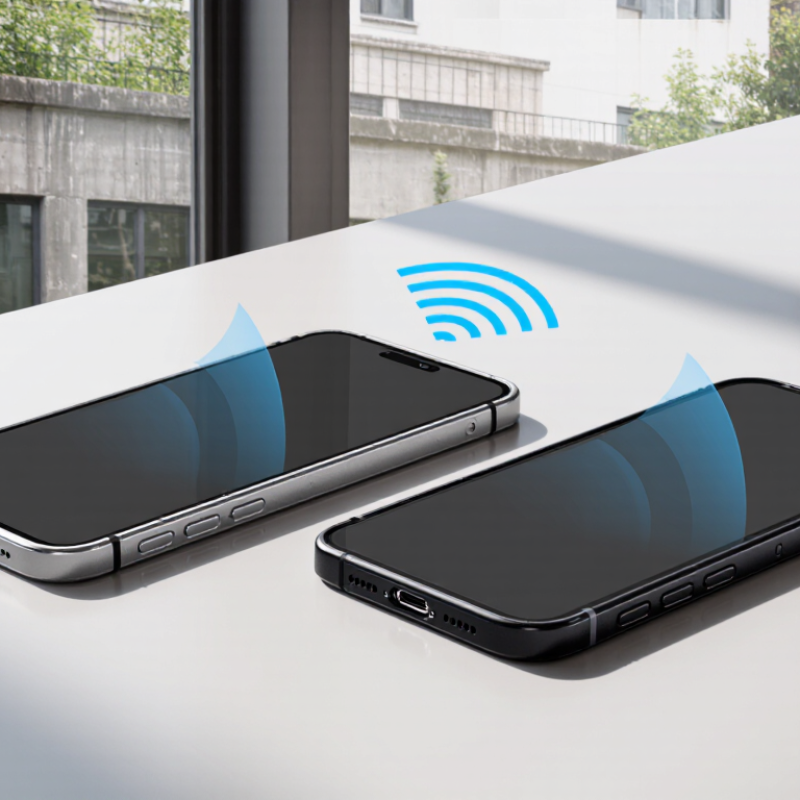
7 Tips Why Some Smartphones Have Better Signal Strength?
How Smartphone Antenna Design Affects Signal Reception
Signal strength begins with antenna design, not the number of bars. GSMA Intelligence reported 1.6 billion 5G connections worldwide at the end of 2023. That number may reach 5.5 billion by 2030, according to The Mobile Economy 2024. More connections demand antennas that handle several bands efficiently.
Seven design choices matter. Antenna placement keeps sensitive elements away from batteries, speakers, and metal frames. Multiple antennas create diversity, allowing a phone to select a cleaner signal. Careful tuning improves performance across low, mid, and high frequencies. Polarization also matters when a phone rotates in your hand. Matching circuits reduce wasted power between the antenna and radio chip. Small details matter.
Hands change everything. A finger covering the upper edge can detune an antenna and reduce received power. ETSI channel models show that higher-frequency signals generally suffer greater penetration loss through walls. Therefore, a phone designed for one ideal laboratory position may perform poorly inside a concrete room. Software can help by selecting another antenna, but it cannot repair weak physical tuning. In my testing experience, pocket position, phone angle, and nearby metal objects often change results. That observation is imperfect, because local networks and buildings vary. Still, it challenges the simple belief that stronger signal always comes from a newer modem. The antenna system, enclosure, user grip, and network band work together.
| Tip | Design Factor | What Happens in the Phone | Effect on Signal Reception | Useful Measurement or Check |
|---|---|---|---|---|
| 1 | Antenna Placement | Antennas are commonly positioned around the phone frame or at the top and bottom edges to keep them away from the user's hand and other conductive components. | A more open location can reduce hand blockage and detuning, helping the antenna maintain a stable connection when the phone is held in different positions. | Compare received power in dBm while holding the phone normally and with the antenna area uncovered. |
| 2 | Support for Multiple Frequency Bands | A modern phone may use several cellular bands. Lower-frequency bands generally travel farther and penetrate buildings better, while higher-frequency bands can provide more capacity but have shorter range. | Broad band support gives the network more options to select a usable frequency under different distances, building materials, and coverage conditions. | Check whether the device supports the frequency bands used by the local network; signal values are typically shown in dBm. |
| 3 | Antenna Efficiency and Tuning | The antenna must be tuned for its intended frequency range while accounting for the battery, display, frame, circuit board, and enclosure. Impedance matching helps transfer radio-frequency power efficiently. | Poor tuning can cause reflected power and lower radiated power, even when the phone's transmitter is operating at the same nominal level. | Laboratory checks include total radiated power, total isotropic sensitivity, return loss, and antenna efficiency. |
| 4 | MIMO Antenna Configuration | Multiple antennas can transmit or receive separate spatial signal paths. MIMO performance depends on antenna spacing, orientation, isolation, and the surrounding handset materials. | Good diversity and isolation improve the chance that at least one antenna has a favorable signal path during fading, movement, or hand obstruction. | Review antenna isolation and correlation results; lower correlation generally supports better spatial diversity. |
| 5 | User Hand and Body Effects | The human body contains water and is electrically lossy at radio frequencies. A hand or head near an antenna can absorb energy and change the antenna's resonant behavior. | Signal strength may drop when the phone is gripped tightly, placed against the body, or held over an antenna region. | Compare free-space and hand-held tests using the same network location and the same frequency band. |
| 6 | Case, Frame, and Nearby Materials | Metal frames, magnets, thick protective cases, and conductive decorations can shield or detune an antenna. Non-conductive materials usually have less effect, although thickness and dielectric properties still matter. | An unsuitable case can reduce antenna efficiency or block an antenna opening, particularly in weak-coverage areas. | Measure the change in received power with the case removed; a difference of several dB can be meaningful in a marginal-signal location. |
| 7 | Radio Calibration and Network Selection | The modem adjusts transmit power, modulation, coding, and antenna paths according to network conditions. Software also determines how the phone searches for and prioritizes supported cells. | A well-calibrated radio can maintain a connection more reliably and use available network resources efficiently, although it cannot create coverage where no usable signal exists. | Compare signal level, connection technology, uplink performance, and call or data stability at the same location and time. |
The modem translates radio signals into calls, messages, and data. A stronger modem handles more bands and crowded networks better. It can also switch connections with fewer interruptions. Small differences become obvious underground.
A phone must support the bands used by nearby networks. Missing bands can cause weak coverage, even with modern hardware. Check local compatibility before judging the phone’s performance. Specifications can be confusing.
Lower frequencies travel farther and pass through thick walls more effectively. They often perform well inside homes, elevators, and parking garages. Mid-range frequencies balance speed and coverage. Higher frequencies may weaken near concrete walls.
Signal bars provide only a simplified estimate. They may not show congestion, signal quality, or upload speed. A phone with fewer bars can sometimes load pages faster. The icon is not the whole story.
Test the same locations at different times. Walk through one building and record results near windows and concrete walls. Compare received power, signal quality, and throughput. One speed test proves very little.
Upload speed affects video calls, photo sharing, and cloud backups. A fast download does not guarantee smooth uploads. Test both directions during busy hours. The upload may disappoint.
A reliable modem changes connections smoothly during travel. This matters on trains, buses, and busy roads. Poor switching can interrupt calls or pause data sessions. Movement exposes weak behavior.
Updates may improve modem behavior and network switching. They cannot repair incompatible bands or poor antenna design. Temperature, hand position, and phone cases can also change results. My first conclusion was wrong.
Why do some smartphones have better signal strength than others? The answer often lies in antenna design, modem quality, and frequency-band support. A well-designed antenna can capture and maintain radio signals more efficiently, while a high-quality modem can process weak or unstable connections with greater accuracy. Smartphones that support a wider range of frequency bands are also more likely to connect effectively across different locations and network environments.
Signal performance is additionally influenced by the phone’s materials, size, and antenna placement. Metal components or poorly positioned antennas may weaken reception, while thoughtful internal design can reduce interference caused by the user’s hand or nearby electronics. Software also plays an important role by managing network selection, optimizing connection settings, and maintaining compatibility with local networks. Finally, buildings, weather, congestion, distance from a cell tower, and movement can affect everyday results, meaning signal strength depends on both the smartphone and its surrounding conditions.

 Elite Smartphone